
The Koba app
Everything Koba does, without sending a text
Texting is enough. When you would rather tap than type, every space, expense, reminder and connection is in the app, in step with your chats.
Fix the dinner anywhere and it changes everywhere
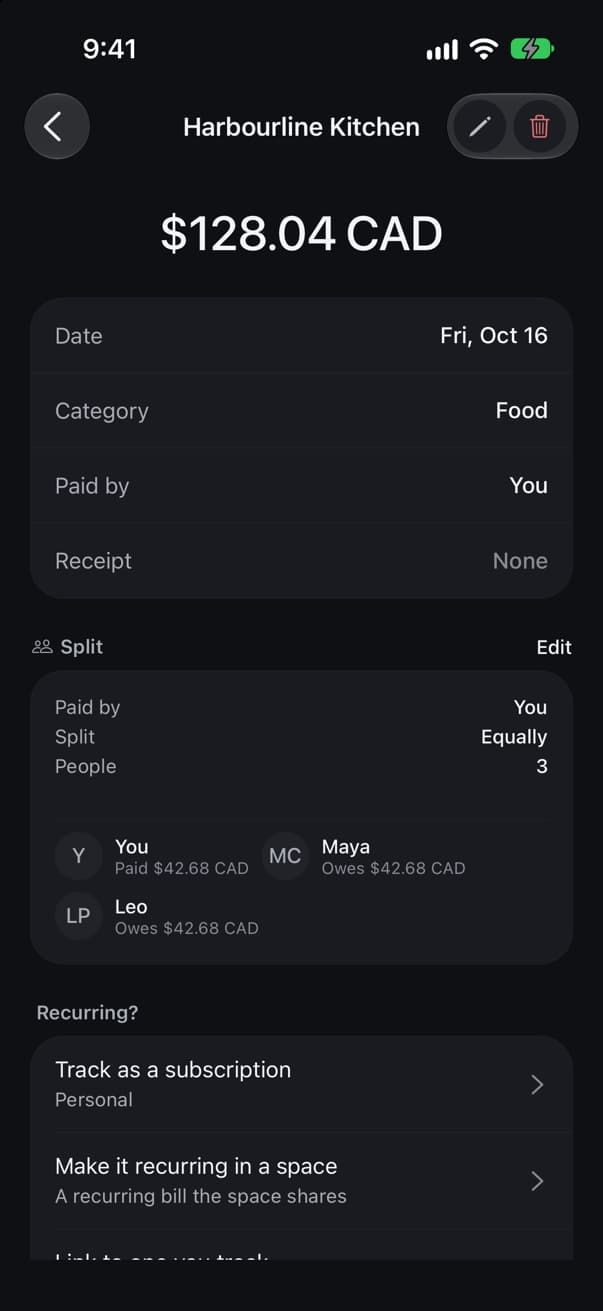
Try it: tell Koba Priya wasn’t there.

- You: @koba I paid CA$128.04, split it four ways
- Koba sends a card: Dinner added to Vancouver weekend. CA$32.01 each. Avery paid: CA$128.04. Maya, Leo, Priya: owe CA$32.01.
In the group chat
Where it happened
In the app
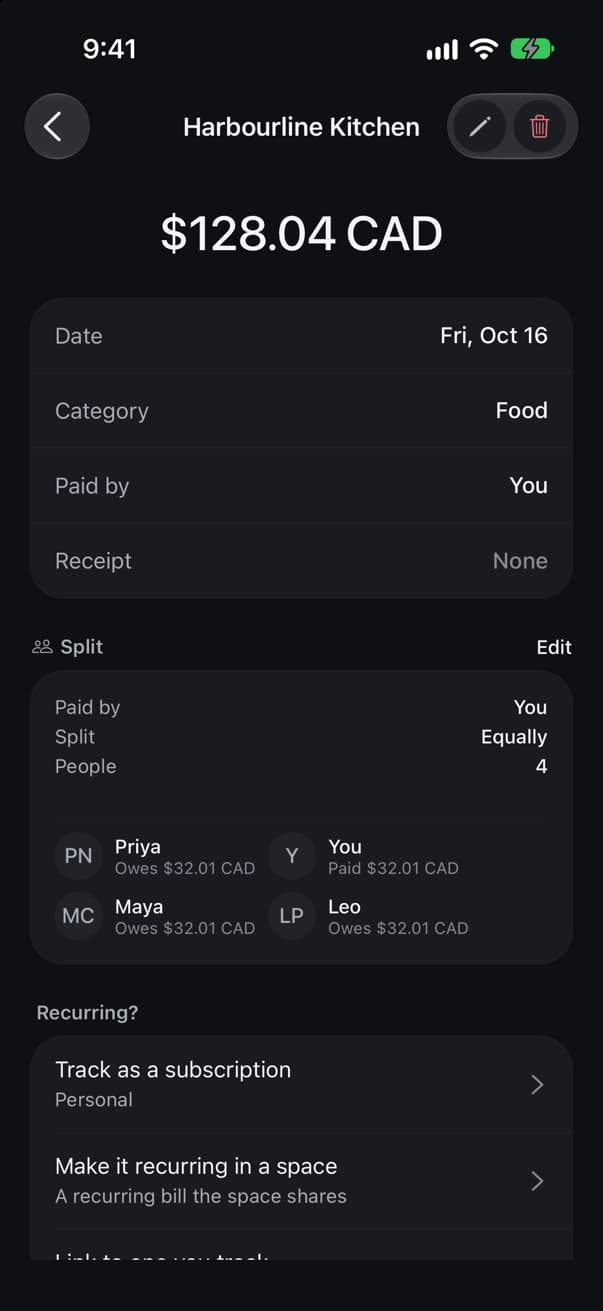
The same expense in Koba for iPhone
Vancouver weekend
Dinner
CA$128.04
Harbourline Kitchen · paid by Avery
| Avery | CA$32.01 |
| Maya | CA$32.01 |
| Leo | CA$32.01 |
| Priya | CA$32.01 |
Split four ways
On the web
The page a card link opens
A look around the app
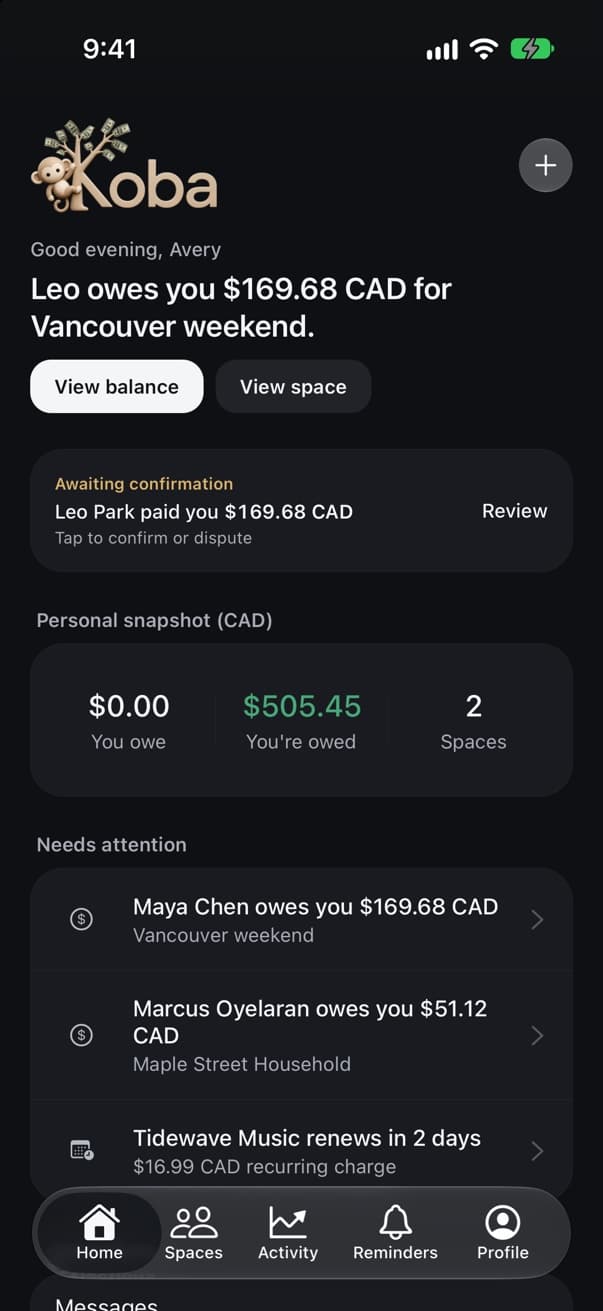
Home
What needs you today: who owes you, what is waiting for your confirmation and what renews next.
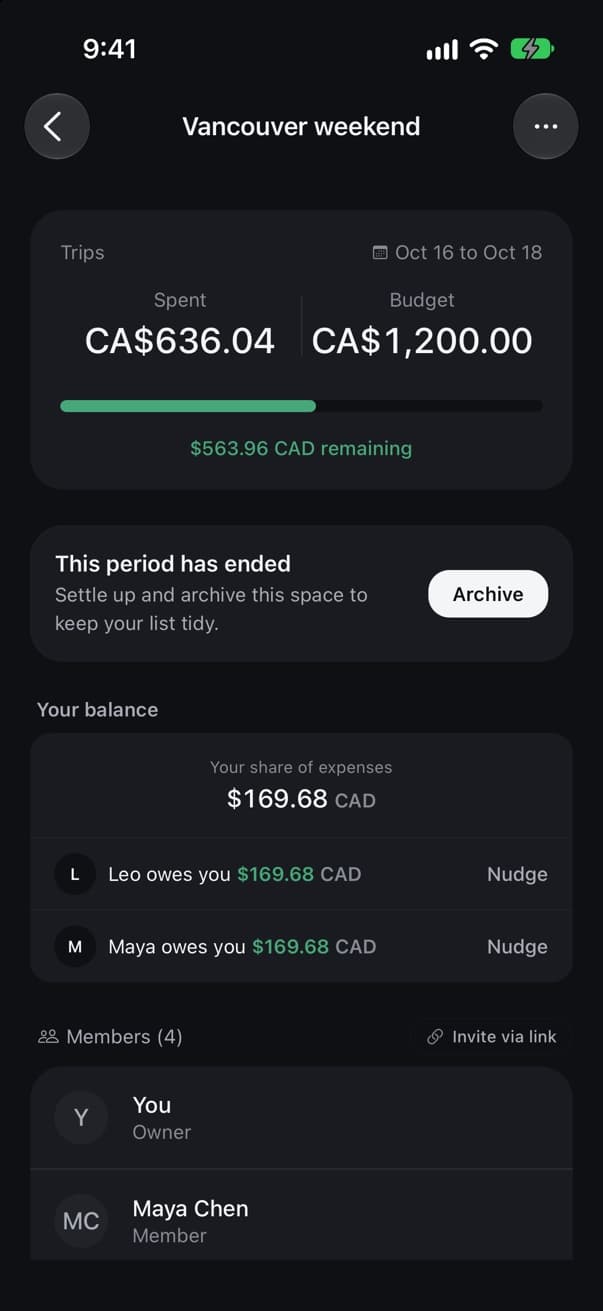
A space
The Vancouver weekend against its budget, with who still owes you for it.
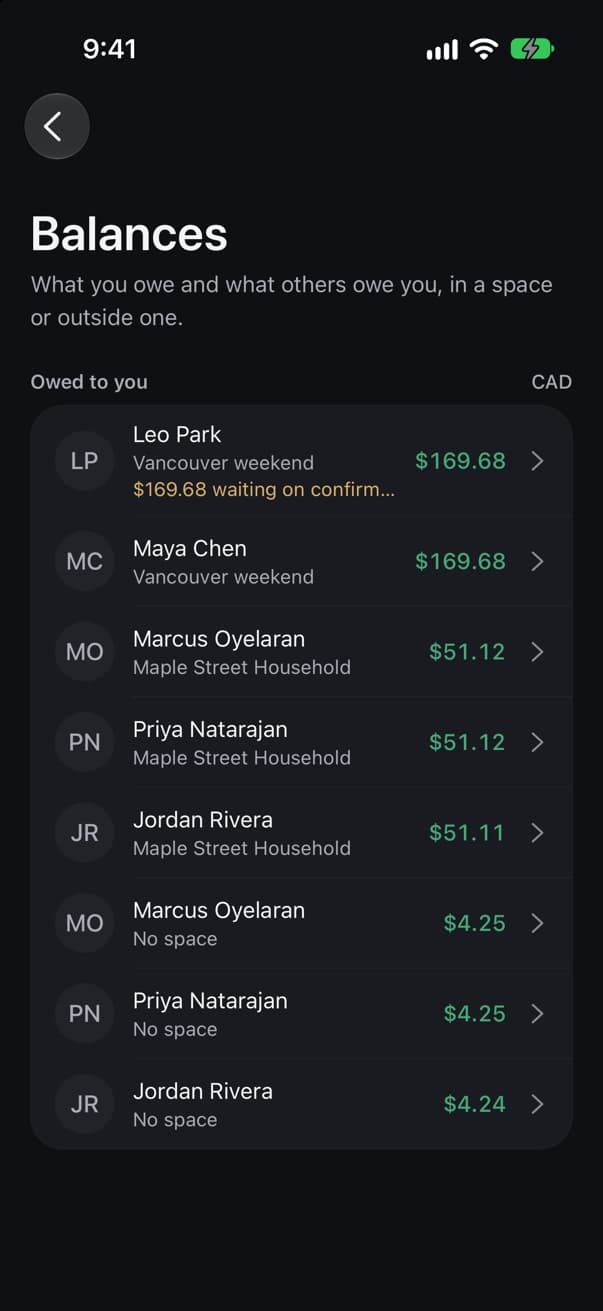
Balances
Everyone who owes you, in a space or outside one.
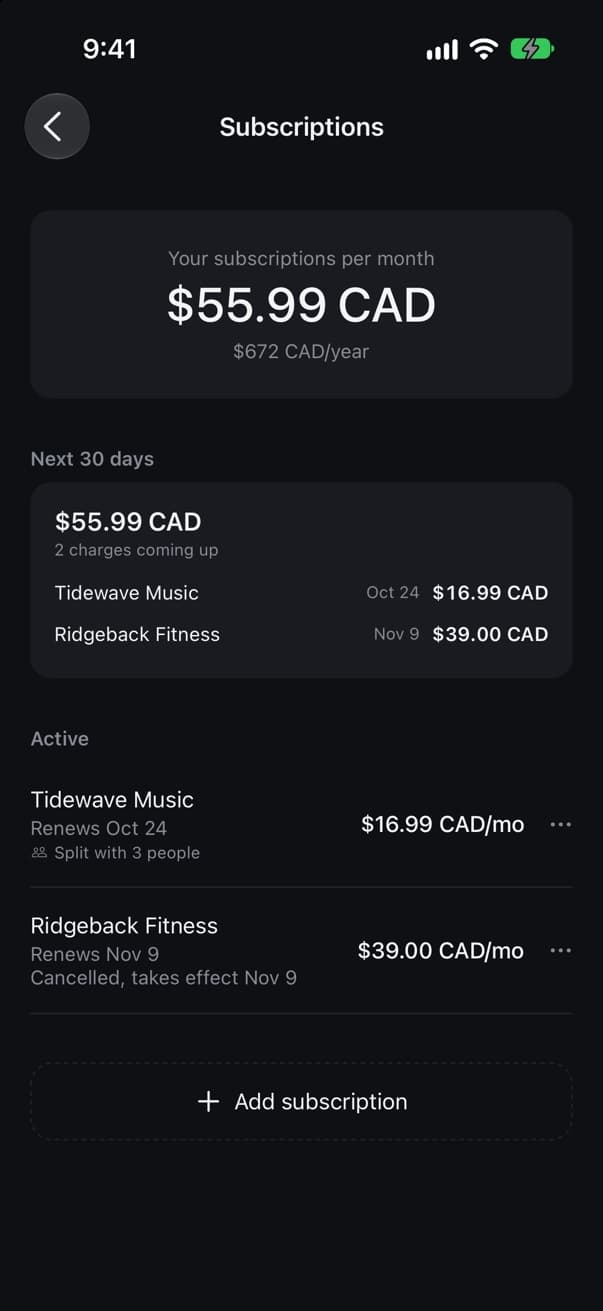
Subscriptions
What renews in the next 30 days, including the gym you already cancelled.
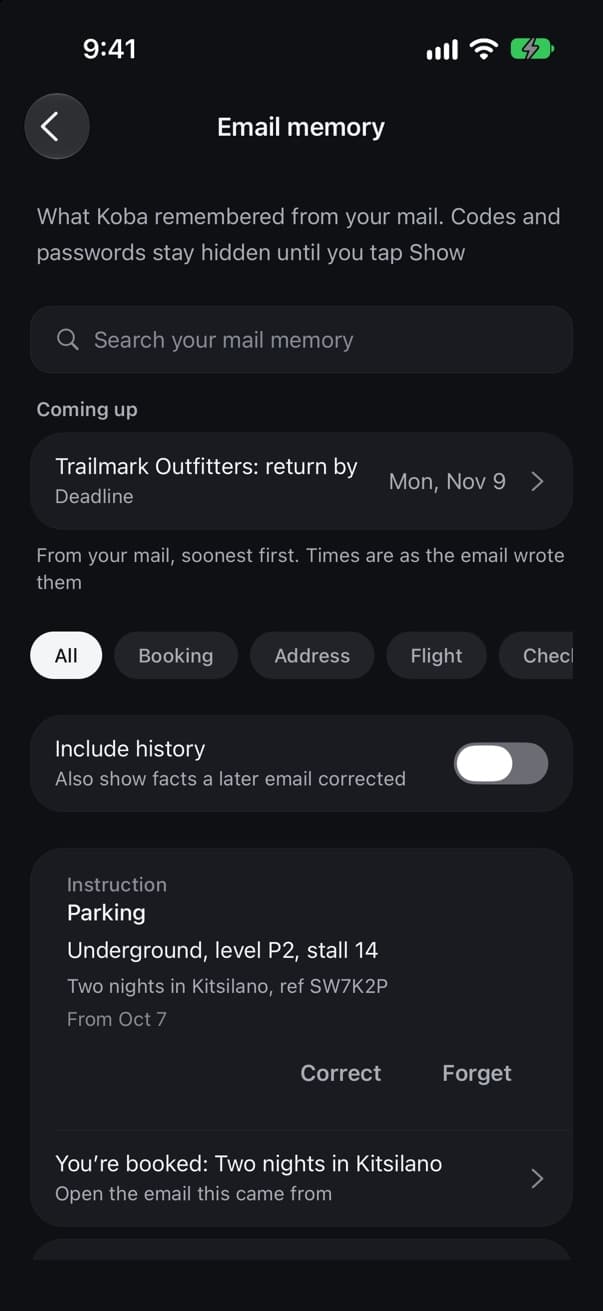
Email memory
What Koba kept from your mail, like the jacket’s return date and where to park.
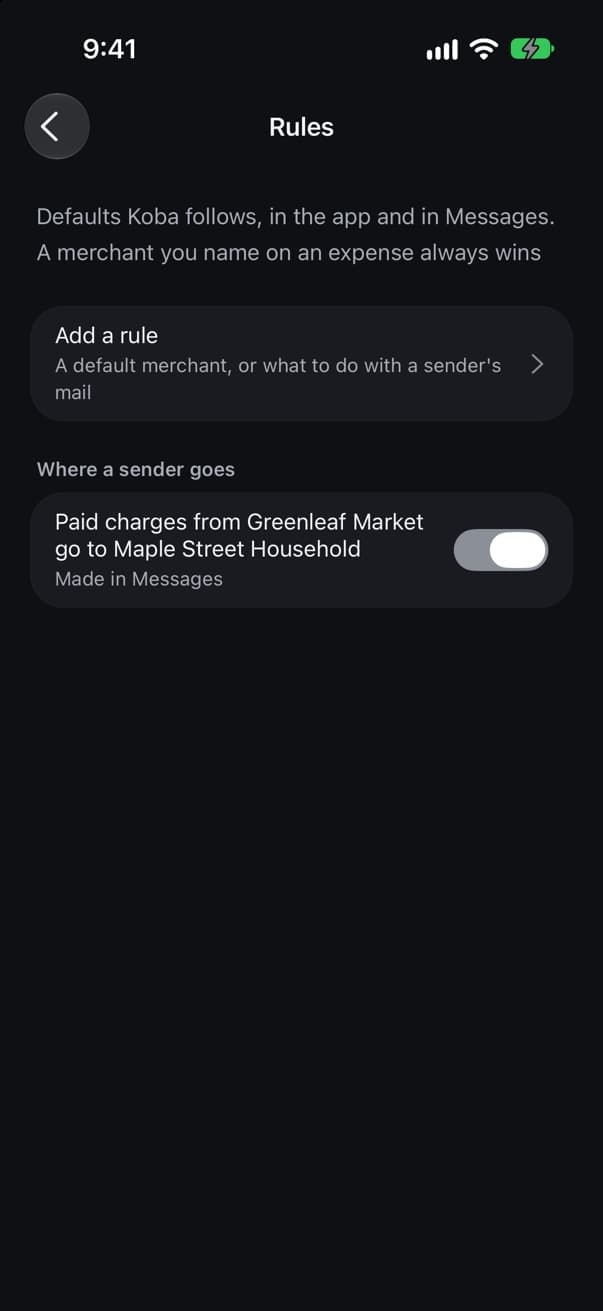
Rules
Defaults Koba follows, like where Greenleaf Market receipts go.
What you can do in the app
- Add and fix expenses
- Type one in, scan a receipt, change a split or move it to another space.
- Run each space
- Members, balances, shared bills and plans for each trip or home.
- Settle up
- See who owes what, send a request and confirm a repayment.
- Reminders and calendars
- Create, repeat, snooze and complete, synced with Apple Reminders and Calendar.
- Connections
- Connect or disconnect email, calendars and a bank, and see what each one is doing.
- Your account
- Plan and billing, export your history, or delete your account.
Each permission is asked for separately
- Reminders
- Real repeating reminders in a Koba list.
- Calendar
- Trips and plans on the days they happen.
- Contacts
- Names for the people you split with. On the web, a contacts file you export works too.
- Notifications
- The same notices Koba would text, as push if you prefer.